
Going Paperless: E-Signatures and Documents for HOA Community Boards


Our association's history used to live in a filing cabinet in the office, and the key to understanding it lived in one volunteer's memory. Guest cards, parking permits, pet registrations, leases, contracts. I'm a board member and the treasurer of a 128-unit Florida condo building, and for years the routine was always the same: print it, sign it, scan it, email it back, then file the scan where nobody would ever find it again. There is a better way, and the surprise is that it leaves a stronger record than paper ever did.
- Key takeaways Paper signatures are slow, scattered across drawers and inboxes, and leave a weaker proof trail than digital ones.
- Browser signatures capture time, device, and association context. That is an E-SIGN and UETA audit trail paper cannot match.
- Start with the form you handle most (guest registration or parking) and the rest follow on their own within a season.
The cost of paper forms
Paper is slow and lossy, and in a seasonal building it's worse than that. A form sits unsigned for weeks. The owner who needs to sign it is in Pennsylvania until November, and "someone has to be in the office." Signed copies end up in a drawer, an inbox, or a board member's trunk. When you need to prove who signed what and when, you dig, and sometimes you come up empty.
Here's when the gap stops being theoretical. Our building has a couple dozen rented units, and every one is supposed to have a lease and a renter's insurance policy on file. The first time I tried to audit that as treasurer, the honest count was "we think most of them." Think is not a record. For anything the board someday needs to enforce, a signature you can't produce is a rule you can't enforce. That covers lease terms, pet agreements, and rule acknowledgments.
And there's a money angle nobody totals up: toner, paper, postage for mailing forms to out-of-state owners, and the volunteer hours spent scanning and chasing. None of it appears as a line item, which is exactly why it never gets fixed.
Signing in the browser
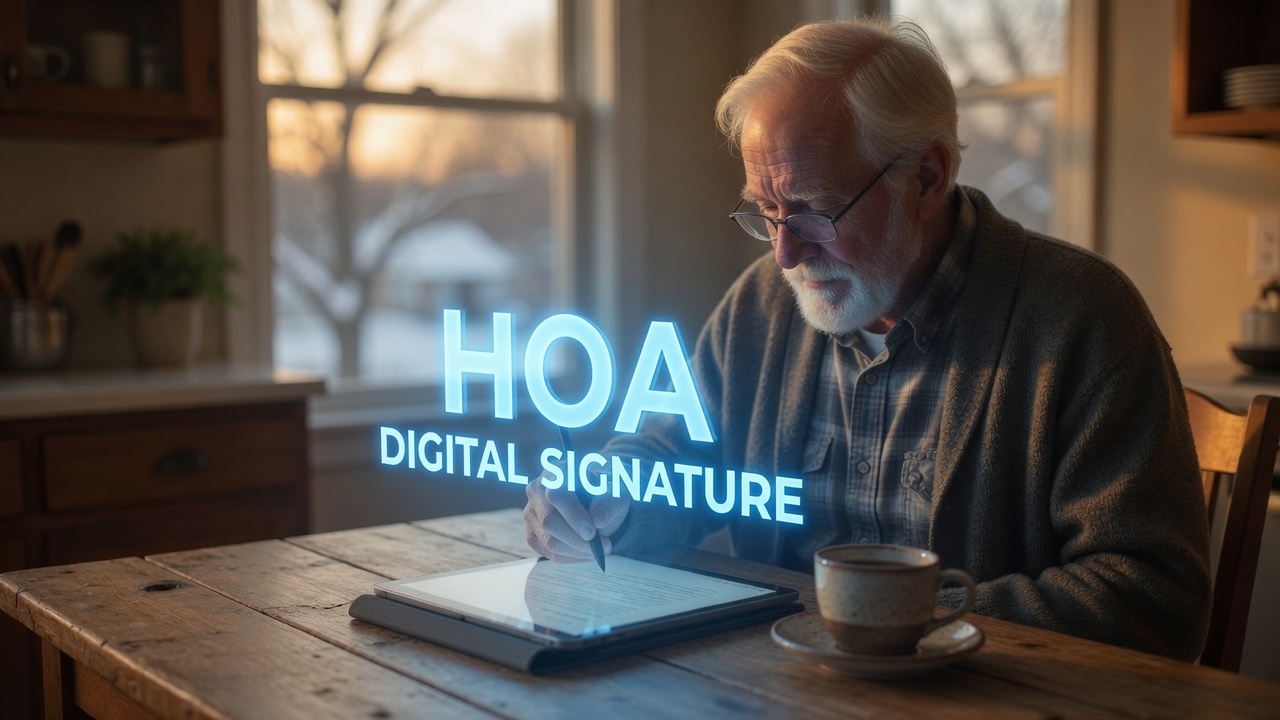
SoShiny signs in the browser. A member picks a form, places a saved signature, and the form is done. No printer, no scanner, no trip to the office. The owner in Pennsylvania signs Tuesday night from their kitchen. The platform ships 14 ready forms, from guest registration to move-in and move-out. Our first digitized form was the guest registration card we used to keep on the office counter, and it's the exact same fields, minus the counter.
Each signature captures the time, the device, the IP, and the association context, bound to a signed-in member account. That is an E-SIGN and UETA audit trail, the kind paper cannot match. A wet signature proves someone held a pen. A digital one proves who, when, and from where.
Sign any PDF, not just the built-in forms
Drop a contract, an addendum, or a notice into Documents, and members sign that in the browser too. The board marks required signers, sees at a glance who still owes a signature, and sends a one-click email nudge instead of leaving voicemails. Every signed copy gets a full audit certificate. We use this for the documents that used to take the longest. Board resolutions that needed five signatures used to circulate for two weeks. Now they're done before the meeting adjourns.
As the person who signs vendor contracts for the association, I'll add: the audit certificate has ended more than one "I never agreed to that" conversation before it started.
Documents that stay organized
Paperless only helps if the files stay findable. A folder of well-scanned PDFs nobody can search is a tidier version of the drawer. SoShiny scopes each document to the whole community, one unit, or one member, and controls who can open it. Leases sit with their unit. Appointment letters sit with their member. Governing docs sit where every owner can read them, which quietly kills the weekly "can you send me the bylaws" email. Search finds any of it in seconds, including the renter-policy audit that used to take me an afternoon and now takes one filtered view.

What you gain
You gain speed and proof. Forms get signed the day you send them, not the season they were printed. Every signature carries its own evidence. And the board stops storing its institutional memory in a drawer that the next board will never open. When our secretary's term ended, every signed document stayed exactly where it was, findable by people who'd never touched the filing cabinet. Paperless is not just tidy. It is a better record, and boards run on records.
Start small, then go fully paperless
You do not have to drop every paper form on day one. We didn't. Pick the form you handle most, move it online, and watch how much faster it clears. Guest registration and parking permits are ideal first steps: simple, frequent, and low-risk, so the board learns the workflow where nothing can go wrong.
Once the board sees signed forms land the same day, the rest follow on their own. Move the pet and vehicle forms next, then leases, then contracts. Within a season, the drawer of scans is gone and every signature carries its own proof. The shift is not really about saving paper. It is about never again hunting for a signed copy that should exist and does not. For a board that will someday enforce a rule, that alone is worth the switch.
If this guide helped, the tools it describes live in SoShiny, and so does everything else a self-managed board needs. The 30-day trial is free.
Enjoying this? Get the next one by email.
Practical guides for self-managed boards, written by a board treasurer. About one a month.
FAQ about e-signatures and going paperless
Are e-signatures legal for HOA forms in the United States?
What HOA forms can a board sign electronically?
How does SoShiny prove who signed a document?
Do owners need an account to sign?
How long are signed PDFs retained?
What should a board digitize first?
Related reading
- FeatureElectronic Signatures
- From the blogWhat Does an Association Manager Do?
- FeatureSign Any PDF
- From the blogHow to Switch Community Software Without Losing Your Data
- From the blogHow to Choose Community Management Software: a 10-Point Checklist
SoShiny Software Team is the collective byline for posts written by the people building SoShiny: engineers, designers, and the board members we work with every day.
We write about what actually works for community associations: governance that holds up under scrutiny, communication that residents read, and software that doesn't fight the people using it.
SoShiny is association management software for HOAs, condominium associations, and housing co-operatives anywhere in the United States. Headquartered in Daytona Beach, Florida. Built by people who've sat on a board.