
Should Your HOA Be on Nextdoor? Yes, and Here Is Where to Draw the Line


Last month I typed a community name into Nextdoor and found the neighbors already there, chatting away. They had been talking for years. Nobody from the board was in the room. If you sit on a homeowners association (HOA) board, that should get your attention. The conversation about your community happens with or without you. This post covers what I learned setting up a Nextdoor page myself, why I think every association should claim its spot, and the hard line I draw between neighborly chatter and official association business.
- Nextdoor is address-verified, so your actual neighbors are the audience, not the whole internet.
- A page for your association is free and takes about an afternoon to set up.
- Buyers and renters research communities on Nextdoor before they call an agent.
- Official business stays off social media. Votes, violations, dues, and legal notices belong on channels the board controls.
- Assign two admins and a weekly check-in so the page never goes stale.
What Nextdoor is and who is actually on it
Nextdoor is a social network built around real addresses. New members verify where they live, and the platform sorts everyone into named neighborhoods. That one design choice changes the tone. You are not shouting into the whole internet. You are talking to the people who share your streets, your beach access, and your trash pickup schedule.
The platform launched in 2011 and now operates in 11 countries. In my corner of Daytona Beach the feed is lost dogs, contractor recommendations, storm updates, and the occasional heated argument about fireworks. It reads like the bulletin board in a laundry room, which is exactly the point.
I set up a page in an afternoon, and it was fun
Full disclosure: the page I created was for SoShiny, the software company I run. The process is the same one your association would follow, so the lessons carry over. It took about an hour of real work, and most of that was cropping a logo.
The signup asked for a name, an address, a category, and a short description. I added a logo, a cover photo, a website link, and hours. Then Nextdoor showed me the page live in the feed for nearby neighborhoods. No credit card, no sales call, no approval queue worth mentioning. Compared to the paperwork a board pushes through every month, this felt like recess.
An association can do the same thing. Create a page under the community's exact name, put the office phone on it, link to your public community website, and you now show up when a neighbor searches for you.
Why your community should be listed
Three reasons pushed me from maybe to do it now.
Buyers do their homework there. People research a neighborhood on Nextdoor the way they research a restaurant before dinner. When a buyer searches your community and finds nothing official, the top result is whatever a frustrated neighbor posted three years ago. A claimed page with a clean description and a working website link changes that first impression.
It reaches people your email list never will. At our 128-unit building, about half the owners we invited to the portal signed in within a few months. The rest live somewhere between paper mail and word of mouth. Some of them scroll Nextdoor every single day.
Storms. Here in Florida the neighborhood feed lights up before, during, and after every named storm. Sandbag locations, shutter help, which gas stations still have fuel. That is real value, and your page can point people at official sources when it counts. My post on the first hour after an emergency covers who does what. Nextdoor covers the other 23 hours.
The line between the sidewalk and the office
Here is where I part ways with boards that run everything through social media. Industry attorneys keep the advice blunt: never conduct official association business on a platform you do not control. I agree with them.
Nextdoor is a sidewalk. Great for waving at neighbors, terrible for signing contracts. Anyone can claim anything there. Moderation is thin, identities slip, and a comment thread is not an official record. Florida law expects an association to keep official records and deliver certain notices in specific ways. A reply buried under a lost-cat post satisfies none of that.
So here is my rule: the page promotes, the portal governs. Post the ice cream social on Nextdoor. Run the annual meeting, the votes, the violations, and the dues through channels your homeowners association actually controls. If a neighbor raises a real issue on the feed, answer once, kindly, with a pointer to the official channel, and stop typing.
Two things should never appear on your page: anything about a specific owner, and anything a stranger could misuse, like gate codes or delivery-door schedules. Neighbors post those without thinking. Your admins never should.
How to set up your association's page
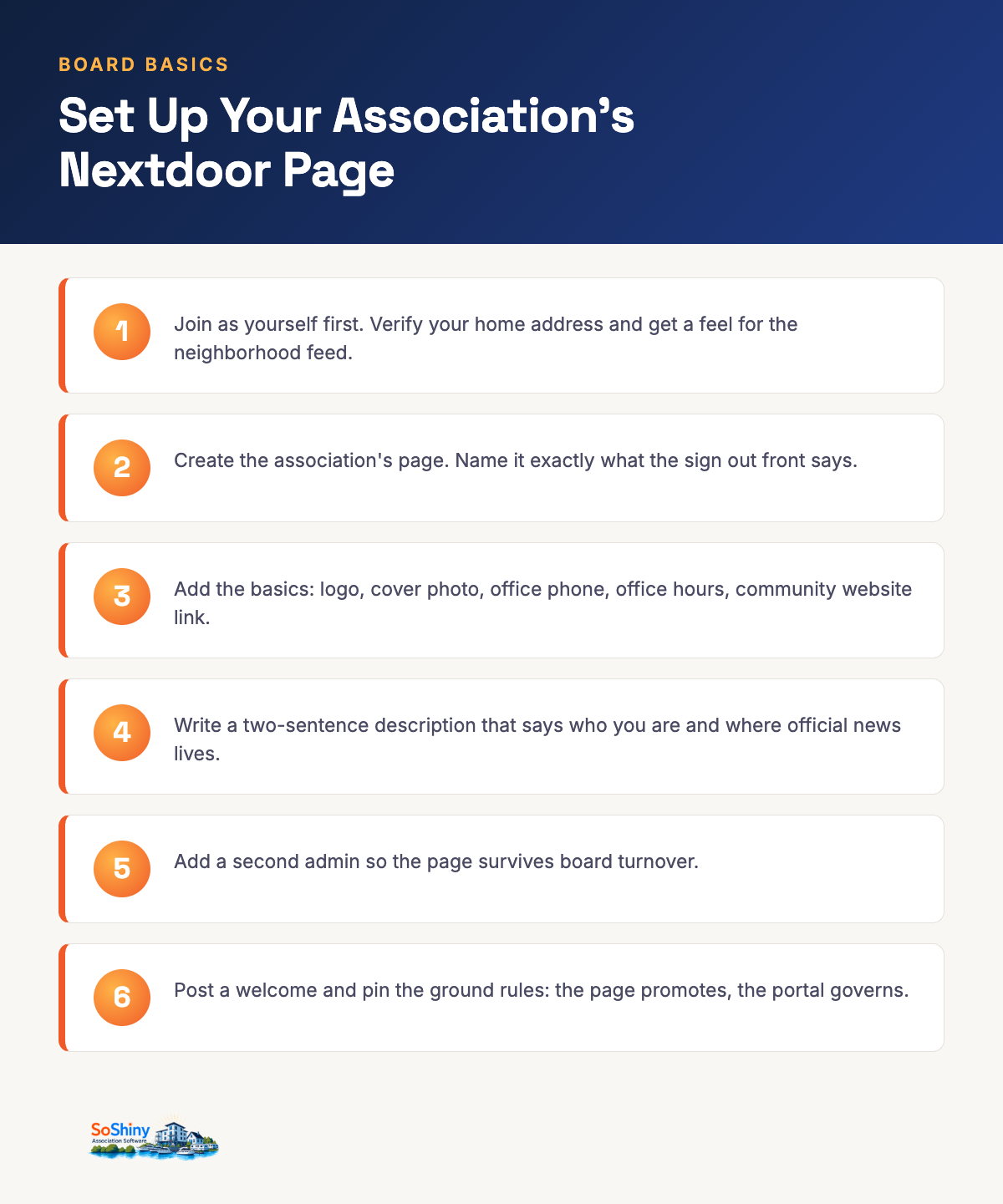
- Join Nextdoor as yourself first. Verify your home address and get a feel for the feed.
- Create a page for the association. Name it exactly what the sign out front says, so search finds it.
- Add the basics: logo, cover photo, office phone, office hours, and your community website link.
- Write a two-sentence description that says who you are and where official news lives.
- Add a second admin from the board or the office, so the page survives turnover.
- Post a short welcome and pin your ground rules: what the page is for and where official business happens.
Budget an afternoon for the whole thing. The hardest part is finding a logo file that is not a photocopy of a photocopy.
House rules that keep the page out of trouble
- Never discuss a specific owner, unit, violation, or account. Not even vaguely.
- Answer questions once, then redirect to the office or the portal.
- Skip arguments. A page that never argues cannot lose one.
- Keep a weekly ten-minute check-in on someone's calendar.
- Screenshot anything that reads like a legal threat and send it to the association's attorney, not the comment section.
Boards that follow those five rules get the reach without the risk. Boards that skip them become the cautionary tale in an industry newsletter. Our own communication tools comparison shows what belongs on owned channels and what those channels cost to skip.
If this guide helped, the tools it describes live in SoShiny: a public community website, announcements, and a member portal your board actually controls, from $25 a month. And if you want to see the page that started this post, come say hi on Nextdoor.
Enjoying this? Get the next one by email.
Practical guides for self-managed boards, written by a board treasurer. About one a month.
FAQ about HOAs on Nextdoor
Should an HOA use Nextdoor for official business?
Is Nextdoor free for a homeowners association?
How does an HOA get listed on Nextdoor?
Can the board control what neighbors say about the community on Nextdoor?
What should an HOA post on Nextdoor?
Do home buyers really check Nextdoor before buying in a community?
What is the difference between Nextdoor and an HOA portal?
Related reading
The idea of SoShiny came from a board seat. Kevin joined the board of a large condo HOA and found that one person ran the entire operation from memory. The books lived in Lotus 1-2-3, a program from the 1980s. If that person walked away, the whole community walked away with them. Something had to change. What started as a small fix grew into a full system. SoShiny now runs communities across 23 states and 3 countries.
Kevin has spent his career building teams and turning messy processes into simple products. He ships fast, coaches with candor, and favors action over talk. With SoShiny, he brings that same bias for action to an industry that still runs on spreadsheets, sticky notes, and paper announcements.
An Irish American builder and author, Kevin leads with honesty, grit, and faith. He has three sons and splits his time between Ormond Beach, Florida and Western New York.