
Who's home. Who's away. Your board knows in seconds.
Members mark their own travel in the portal. Management gets one live board of every away unit, with the emergency contact, the pet, the vehicle, and a key location stored encrypted. When a storm forms, the whole picture prints in one click.

Who's Away is a live travel board for your community. Members log the dates they'll be gone, and management sees every away unit on one screen. Each entry carries the details that matter in an emergency: who to call, whether a pet stayed behind, which car is in the lot, and where a key is kept. That last one is stored encrypted, and only management can look it up.
How do members mark themselves away?
From My Profile, in about a minute. A member picks the dates, adds an emergency contact, and notes a pet, a vehicle, or a key location if they want to. Snowbirds get a shortcut: one click copies last winter's stay forward a year. The office can log an absence for anyone who calls it in instead.
What does the board see?
A grid of every unit with tabs for away now, scheduled, and home. Each row shows the date range, the reason (trip, snowbird, vacant, or worker access), and the contact details. The portal connects the dots on its own. Work orders and concerns flag a unit that's currently away, and Email Members can skip away members or write only to them.
What happens when a hurricane forms?
One click prints an emergency sheet: every away unit, sorted by unit number, with contacts, pets, and vehicles. A Florida condo ran its evacuation check from that sheet and knew within 30 seconds which 14 units were empty. Key locations stay off the printout on purpose. Those get looked up one unit at a time, and every lookup is logged.
Who can see a member's travel plans?
Management and the board. Nobody else. Neighbors never see who's gone, and no setting can change that. The privacy is a rule of the software, not a checkbox someone could flip by mistake. That matters for any homeowners association (HOA) or condo where an empty unit is information worth protecting.
How real communities use it
Condos: the office sees snowbird season in one view and knows which units sit empty from November to April.
Homeowners associations: boards line up neighborhood watch coverage for the peak vacation weeks.
Marinas: the dockmaster knows which boats have absent owners before storm season starts.
Campgrounds: seasonal sites that closed for the year get off-season patrols and frozen-pipe checks.
Pairs well with
▶ See it in action
What you get
How it works
Guides and terms for this feature
- FeatureBoard Notes
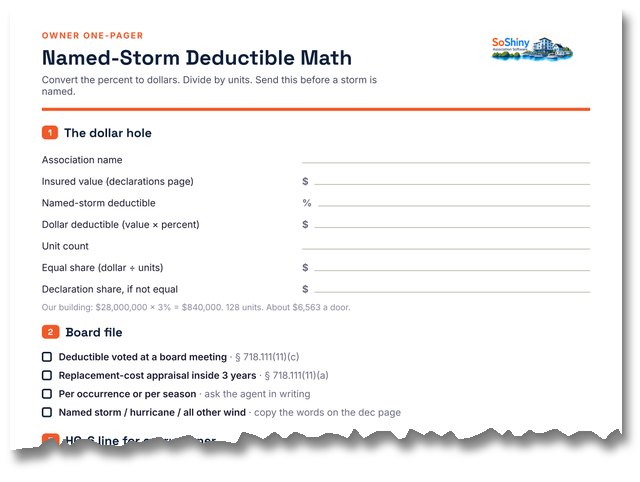
- From the blogYour Building's Hurricane Deductible Is $840,000. Here Is Your Share.
- FeatureGlobal Search
- From the blogWhat New Board Members Never Get Told Before Their First Meeting
Private by design, useful by default.
Members see their own travel and nothing else. The board sees everything it needs in an emergency. Key locations are stored encrypted, kept off every printout, and each lookup leaves an audit trail.
Built for

Condo Association Software That Boards Actually Use
Owners can never find the rules and the board lives in a buried email thread. SoShiny puts your declaration, bylaws, votes, and documents in one searchable portal — plus a free pub…
Cooperative Association Software Built for Co-op Boards
Housing co-ops are not condos and not HOAs — shareholders, proprietary leases, and a board of directors that has to actually enforce the bylaws. SoShiny gives your co-op a searchab…

HOA Management Software Without the Manager Markup
Most boards pay a management company per door for software they barely touch. SoShiny gives your HOA the same tools — violations, voting, documents, directory, and a public website…

Marina Management Software for Slips, Members & Boats
Slip assignments live in a spreadsheet and insurance certificates expire without anyone noticing. SoShiny tracks your members, vessels, slips, and COIs in one portal — with amenity…

Software for Mobile Home Parks & ROCs
Resident-owned mobile home communities, manufactured-housing co-ops, and 55+ parks. SoShiny gives the board a single portal for lot management, online voting, park rules, and share…

Software for Deed-Restricted Communities & POAs
Recorded covenants. Architectural review. Per-lot compliance. SoShiny gives your POA or deed-restricted subdivision a single portal for the covenants residents agreed to, the ARC r…

55+ Community Software Residents Can Actually Read
Too much community tech assumes everyone has a smartphone and 20/20 vision. SoShiny meets residents where they are — a lobby announcement TV, plain email broadcasts, and clear, lar…