Florida Statute Hub — every condo, co-op & HOA law in plain English
Launched a public reference at soshiny.com/florida covering all 128 sections of Florida Chapter 718 (Condominium Act), 719 (Cooperative Act), and 720 (Homeowners’ Association Act). Each section gets its own page with a plain-English summary, the official source link, the full statutory text in a collapsible block, related sections in the same chapter, prev/next navigation, and a Frequently-Asked-Questions block (with HOA-specific answers acknowledging that Chapter 720 disputes go to civil court, not DBPR). Pillar hub has a client-side search across every section, three chapter cards, and a curated 'most-referenced statutes' strip. Board members and homeowners googling a specific statute (e.g. 'florida statute 718.112') will now find a SoShiny page at the top of the results.
Admin CMS quality pass — media picker, blog statuses, industry editor, author writers
Ten-item upgrade to the admin CMS shipped in four groups. (A) Universal media picker modal — pick from the existing library, upload new, or link to an external URL — wired into every image field and every Quill editor. Thumbnails are generated at upload time, so the media library now loads in milliseconds. (B) Blog admin gets full search + status filter, plus archived and soft-deleted statuses with a 10-day grace window before purge — restore any post that was deleted by mistake. (C) Industry editor adds SEO keywords, OG image override, featured-image picker, Quill rich-text for the lede and use-case sections, and a new customer-quotes section that renders as testimonials on the live page. (D) Authors get a list of their posts on their profile page; super-admins see an Edit-this-post link at the top of every public post; and any SoShiny user can now be granted blog-writer access without needing full super-admin keys.
Features library + dedicated landing pages
Built a real CMS for product features. The 22 features on the homepage marquee are now managed through a new Admin → Features area: edit the icon, title, card copy, and order without touching code. Each feature also gets its own deep landing page at soshiny.com/features/{slug} with hero image, demo video, full overview, benefits grid, how-it-works steps, related industries, and a CTA — published one at a time as content gets written. Drafts keep their homepage card but their landing page shows a friendly 'Coming soon' and stays out of the sitemap, so Google never sees thin pages.
Content
May 30, 2026
Sharper copy on the homepage By Industry pills
Rewrote the section intro and all six industry-card descriptions on the homepage to be tighter, more specific, and more honest about what each community type actually gets out of SoShiny. Condos lead with searchable rules; HOAs lead with the no-manager-markup promise; Marinas with the COI + spreadsheet pain; Mobile Home Parks with ROC fit; Deed-Restricted with ARC/board alignment; 55+ with the lobby TV + plain-language angle.
Design
May 30, 2026
Photographic hero cards on the homepage By Industry section
Every card in the By Industry section now leads with a wide 3:1 photographic hero — condos, HOAs, marinas, mobile home parks, deed-restricted communities, and 55+ communities. Replaces the small emoji icon with imagery that actually represents each community type, and the cards link straight through to their vertical landing pages.
Mobile Home Parks & ROC co-ops join the lineup
Repurposed the RV Parks vertical (URL still /rv-parks.php) into a dedicated landing for mobile home parks, manufactured-housing co-ops, and 55+ communities — leaning into the resident-owned community (ROC) board-governance use case where SoShiny actually shines. New copy throughout: per-lot directory, snowbird tracking, amenity booking, online voting from out-of-state, and a 96-lot Florida ROC use case. Homepage By Industry card matches.
Deed-Restricted Communities & POAs join the lineup
Repurposed the Campgrounds industry page (URL still /campgrounds.php) into a dedicated landing for deed-restricted communities and Property Owners Associations (POAs). New title, lede, three pain-points (covenants buried in a binder, ARC chasing paper, violations stalling mid-process), six features focused on architectural review + searchable covenants + per-lot violations workflow, a 320-lot use case, and five FAQs. Homepage By Industry card matches.
Meet the SoShiny Team byline
Posts written by the team now byline as 'SoShiny Team' with a real author profile at soshiny.com/author/soshiny-team. Includes our editorial intro, contact email (success@soshiny.com), and link to follow us on X. Posts can also be re-attributed to individual authors (Kevin, Reboooot, or any new author you add) via the Author dropdown in the blog editor.
Author profiles + a real SEO panel on the blog editor
Every SoShiny team member can now have a real author profile — display name, avatar, bio, job title, LinkedIn, and X handle. Each author gets a public landing page at soshiny.com/author/{slug} showing their bio and every post they've written, complete with Person structured data so Google can attribute articles to a real human (E-E-A-T). Blog posts now show a proper byline with avatar and a link to the author's profile, both on the index and on individual post pages. The post editor got a full SEO & social panel: separate SEO title (≤70 chars + live counter), SEO description (≤170 + live counter), focus keywords, social-share image override, tags, and a live Google search-result preview that updates as you type. Author picker is a dropdown of your team instead of free text. Authors are managed in the new Admin → Authors area.
SEO-friendly media library
The Media library got a major upgrade. Every image now carries alt text, a title, a caption, and dimensions. A live SEO score flags generic filenames (IMG_1234, Screenshot…), too-short/long names, and missing alt text. Click any tile to open a detail editor with a Google-ready SEO panel, quick Copy tag and Copy markdown buttons, a Used-in list showing every post / industry page / changelog entry that references the image, and an SEO-friendly filename rename that automatically updates all references across the site so nothing breaks. A red dot on the tile and a running 'X of Y have alt text' counter at the top keep gaps visible.
Improved
May 29, 2026
Sitemap now updates itself
The soshiny.com sitemap is now generated dynamically from the CMS. Every new blog post you publish and every industry page edit shows up in the sitemap automatically, so search engines pick up new content without anyone hand-editing a file. Same URL (soshiny.com/sitemap.xml), nothing changes from the outside.
Privacy Policy and Terms of Service are live
Published our Privacy Policy and Terms of Service at soshiny.com/privacy.php and soshiny.com/terms.php. Both are linked from the footer of every page, and signup now requires an explicit checkbox agreement before an association can be created. We also added our Daytona Beach address and contact info to the site footer and structured data so search engines can show them in knowledge panels.
Content
May 29, 2026
We're now SoShiny, LLC of Daytona Beach
Updated the company name across the site footer, print headers, lobby TV, transactional emails, and our Organization metadata. The legal entity behind SoShiny is SoShiny, LLC, based in Daytona Beach, Florida. No change to your account or how anything works — just a cleaner copyright line.
Design
May 29, 2026
Refreshed the marketing footer
Rebuilt the soshiny.com footer as a multi-column layout: brand + Follow us on X on the left, a Product column (Pricing, Blog, Changelog, Get started, Sign in), and a By industry column linking to all six community types we serve (condos, HOAs, marinas, RV parks, campgrounds, 55+ communities). Wraps cleanly on mobile.
The SoShiny blog is live
We launched a blog at soshiny.com/blog — guides, tips, and product news for running condos, HOAs, marinas, campgrounds, RV parks, and 55+ communities. Behind the scenes, the marketing site is now managed through a new admin CMS: write and publish blog posts with a rich-text editor, manage a reusable image library, and edit the by-industry landing pages — no code required.
SoShiny is on X
Follow SoShiny at @soshinyapp on X. There's now a 'Follow us' link in the site footer, and the handle is wired into our page metadata and structured data so shared links and search engines credit the account.
Content
May 28, 2026
More answers on the homepage FAQ
Expanded the homepage FAQ from 5 to 14 questions — now covering which kinds of communities SoShiny serves, pricing, the free trial, contracts, custom domains, electronic signatures, online voting, email broadcasts, and the lobby announcement TV. Laid out in a clean two-column grid, and the questions feed structured data so they're eligible to appear directly in Google search results.
New
May 28, 2026
Landing pages for every kind of community
SoShiny now has dedicated pages for the communities it serves — condos & co-ops, HOAs, marinas, RV parks, campgrounds, and 55+ communities. Each one speaks to that community's real workflows and questions, with the same every-feature-on-every-plan platform behind it. A new 'By industry' section on the home page and footer links tie them all together.
Improved
May 28, 2026
Easier to find SoShiny on the web
Behind-the-scenes work so search engines and link previews understand SoShiny: unique page descriptions and canonical tags, rich link-share cards for social and messaging apps, structured data (organization, software, and FAQ), and a sitemap. The old BadassHOA.com address now permanently redirects to SoShiny.com so no old links get lost.
Design
May 28, 2026
New logos and hero video
Refreshed the SoShiny wordmark in the header (now a touch larger) and the footer, added a new illustrated banner above the features grid, and swapped in a new hero video on the home page.
New
May 28, 2026
Drag to reorder your community photos
Boards can now set the exact order community photos appear on the public site. On the Media page, drag any photo to a new spot — the order saves automatically and is reflected in the public gallery (and the lobby/lightbox). New uploads land at the end so they're easy to place.
New
May 28, 2026
Community photos open in a lightbox you can arrow through
On a community's public site, clicking a photo in the Community Photos gallery now opens it in a full-screen lightbox instead of jumping to a bare image page. Use the on-screen arrows or your keyboard's left/right arrow keys to move between photos, Esc or the backdrop to close, and a counter shows your place in the set.
Design
May 28, 2026
Custom-domain login + footer polish
On a community's own domain, the sign-in page no longer shows the SoShiny logo up top — the association's own logo in the sign-in card stands on its own. Refreshed the SoShiny white logo in footers and the dashboard sidebar, and updated the footer credit to “SoShiny is © 2026 Savvy Brain LLC and Kevin B. Leigh.” with links.
Search box on admin Help Topics
/admin/help.php now has a live search bar above the topic list that filters on title, slug, category, and body text. Multi-word queries are AND'd; empty category groups auto-collapse; a Clear button (and Escape) resets. Useful now that the help library is at 40+ topics and growing.
Pricing redesign — one price, every feature, no tiers
Pricing simplified to a single linear model: $50 base + $0.50 per unit. No Starter / Growth split, no thresholds, no per-resident fees. On the home page, the old two-card layout is replaced by a single bold box: big price banner across the top, a Calculate-your-Association CTA, and 22 feature:benefit pairs in a two-column grid. The /pricing.php calculator: slide your unit count from 1 to 1,000, price updates live with no tier name; new two-line headline 'Amazing price for the Most Features / Everything you need to run a modern association'; slider layout restructured so the big price sits below the slider (no more layout-shift wobble as digits change); added a navy closing CTA block at the bottom of the page.
Marketing site refresh — feature ordering by association lifecycle
The features grid on the home page now opens with 'Full Association Website' (renamed from Public Landing Page, with a beefier description) because the public-facing community website is the first thing a board sees value in. The remaining 20 cards reorder roughly in the sequence a new board would actually adopt them — stand it up (directory, parking, rules, documents), communicate (announcements, email broadcasts, lobby TV), govern (events, meetings, voting), serve residents (concerns, ARC, work orders, amenity booking, vehicle registry, who's away), forms (e-signatures, sign any PDF), engagement (committees, search), and your-own-domain as the paid upgrade at the end. New tagline strip 'Condo · Home · Marina · Campground and Beyond' under the section logo. Eyebrow says 'Modern Association Software'. Closing CTA reads 'Ready to run your Association like a boss?'.
SoShiny.com is live
soshiny.com is now serving from its own Hostinger environment with its own database, its own success@soshiny.com mailbox, and its own super admin. Hero lede refreshed to spotlight the full feature lineup (community website, rules, documents, announcements, lobby TV, work orders, architectural review, electronic signatures, committees, events, employees, member and renter directory), and Lobby Announcement TV moves up into the marquee feature grid alongside Email Broadcasts.
New SoShiny logo lockup
Refreshed the main site logo with the new SoShiny.com / Association Management Software lockup — a circular sun-burst mark with a tiny mid-rise condo, waterfront home, sailboat, and RV, paired with the orange wordmark. Live in the public site header. The dark-background variants in the dashboard sidebar and footer still use the previous mark until we have a reversed/white version of the new art.
We're now SoShiny — rebranded from BadassHOA
Same product, broader vision. BadassHOA is now SoShiny — a community management platform built not just for HOAs and condos, but for marinas, campgrounds, RV parks, retirement communities, and any group that needs a way to keep members in the loop and a board organized. All existing customers, members, settings, and data move with the rebrand. Branding is being updated across the site; if you spot anything that still says "BadassHOA," let us know — we'll catch it.
Who's Away — filter tabs, agent picker, and resident-side away ribbon
Iteration pass on the Who's Away board. Management page now has filter tabs across the top — 'Away now' (the default, since that's what you're usually checking), 'Upcoming', and 'Occupied' — with live counts. Unit-number search bypasses the filter so you can find any unit fast. Adding an absence now offers a rental-agent / real-estate-agent picker that pulls from the community contacts directory, so 'the agent who has the keys' is one click away. On the resident dashboard, when a unit is currently marked away, the 'My Unit' ribbon switches to a red palette with an away badge so an owner instantly sees they (or their tenant) are flagged. Renters' own absences are private to them.
Vehicle Registry — every car, truck, RV, and golf cart on the property
A proper registry for every vehicle parked on the property. Members register their own from their profile (✈️ My travel schedule sits next to 🚗 My vehicles); board admins and property managers see and edit the whole lot from /dashboard/vehicles.php. Each vehicle captures plate + state, year / make / model / color, kind (car, truck, SUV, motorcycle, RV, trailer, golf cart, other), parking choice (assigned spot, general parking, or off-site), and a board-assigned sticker number with issue date. Two printable PDF-style views: a per-vehicle parking pass (laminate-ready, identifies the car as authorized) and a 'wrong car in the lot' warning notice the board fills in on the fly with the offending plate. A print-ready list of every active vehicle in the association is one click away.
Real-estate agents added to the community contacts directory
Boards can now attach real-estate agents as a distinct contact kind in the community contacts directory, separate from rental agents. Useful when a unit goes up for sale and the listing agent becomes the de-facto key-holder while owners are out. The new kind also appears in the Who's Away agent picker — so when a unit is vacant for a showing, the absence record can link directly to the listing agent.
Who's Away — unit travel schedule for management and the board
A digital housekeeping board so management knows who's out of town, especially during snowbird season, hurricane prep, and scheduled maintenance. Residents add their own travel ranges from their profile (✈️ My travel schedule), and property managers + board admins can enter on their behalf from the new /dashboard/whos-away.php. Each absence captures the start/end dates (end-date optional for open-ended trips), kind (short trip / snowbird / vacant / authorized worker access), emergency contact, who's authorized to enter, pet on premises, vehicle left on site, and an encrypted-at-rest key location. A one-click Emergency view prints a sorted list of every currently-away unit with all the contact details — the page managers hit before a hurricane or water shutoff. Broadcast email now has a Who's Away filter so boards can send 'we're shutting off water Thursday' to people who are actually home, or 'building impact incoming' to people who are away. Work-order and concerns forms warn when the chosen unit is currently away. Snowbird auto-prompt: returning snowbirds get a 'Heading south again this year?' card on their profile that clones last year's range one year forward. PRIVACY: Who's Away is hard-coded to property management and board roles. It does not appear on the Lobby TV, the public community landing, the community directory, or any broadcast preview — and the permission is not configurable, by design. Every key-location read is individually audit-logged.
Custom-domain sign-in page now wears your community's branding
Associations on a custom domain (e.g. bellaircondos.com) now get a fully branded sign-in page. Visitors who go to bellaircondos.com/login.php see the community's logo above the sign-in card and its hero image as the full-page background, with a navy gradient overlay for legibility. The page title and headline read 'Sign in to '. A '← Back to ' link below the form returns to the community's landing. The SoShiny marketing nav (Features / Pricing / FAQ / Get started) is hidden on custom-domain visits — only the 'Powered by SoShiny' credit in the footer links back to the platform.
"Owners / Renters" renamed to "Community Directory"
The sidebar entry, page title, and heading have all been renamed from "Directory" / "Owners / Renters" to "Community Directory" — clearer about who's listed and consistent with how boards refer to it.
Dashboard polish — unit ribbon, view switcher, help in global search
Three connected upgrades to the resident dashboard. (1) The My Unit ribbon now lists the actual owners and tenants on the unit (pulled from the occupants roster) instead of just the logged-in user's role, plus the monthly HOA assessment derived from the unit's annual fee. (2) Board admins, board members, property managers, and super admins get a 3-way Board / Member / Renter view-as switcher pinned to the top of the left sidebar — easier to preview what each role sees without leaving the page. (3) The dedicated help search bar on the dashboard has been replaced by integrating help topics into the global 'Search everything' bar in the top right, and a Help link has been added to the main sidebar nav so it's always one click away.
Settings — hero banner upload now actually saves
Uploading a hero banner image via Settings was silently failing — the file got written to disk but the database column was never updated, so the page reloaded without the banner. The form submission now writes the new hero path properly.
Help link in the sidebar is clickable again
The 'Help' link at the bottom of the sidebar (and the admin Sign-out link too) was being silently swallowed by an invisible scroll-hint overlay sitting on top of it. Clicks now register correctly whether the hint is visible or not.
Pricing page simplified — two plans, clearer Starter label
The Enterprise card has been removed from the public pricing page. We now show two plans side by side: Starter (small HOAs) for up to 20 units at $20/mo flat, and Growth for 21+ units at $20 base plus $0.50 per unit over 20. Every plan still includes every feature — there is no tier-gating. The custom-domain add-on at $99/year continues to sit below the plan grid.
Pricing page now lists the custom-domain add-on ($99/year)
Associations that want to run their community on their own domain (e.g. yourassociation.com) instead of soshiny.com/{slug}/ can add that to any plan for $99/year. We provide DNS instructions, provision the SSL certificate, and handle the routing. Currently available by request via the waitlist link on the pricing page while the routing layer is finished.
Amenity bookings now post to the community calendar — open or private
When a member books an amenity (clubhouse, pool deck, BBQ area, etc.) they pick whether the gathering is 'Open to members' or a 'Private event / party'. As soon as the booking is approved (or instantly if the amenity allows auto-approval), an event is added to the community calendar so neighbors can see the space is reserved. Open events show the purpose so people can join; private events only show 'reserved — private event' so the space isn't accidentally double-booked. Denying or cancelling a booking automatically removes the event.
Resident dashboard rebuilt for everyday homeowners
The dashboard residents land on after logging in has been redesigned for non-board users. Removed the nag-style 'Needs your attention' banner. New layout: a help search bar at the top, a pinned emergency notice (when one is active), a 'My Unit' ribbon with your unit details, four clear shortcut tiles (Feedback to the Board, Rules & Bylaws, My Documents, Marketplace), announcements with color-coded type accents and a 'New' pill for items posted in the last week, upcoming events with thumbnails, a marketplace strip, your own recent activity, and a 'Reach your board' footer with board admin names and a link to the full contacts page.
PDF signing — place your saved signature on any uploaded PDF
Any member can now sign uploaded PDF documents directly in the portal. Click Sign on a PDF row to open the signing page: the full document renders via PDF.js, you pick a saved signature (or draw a new one), click to place it on any page, and the document is baked client-side by pdf-lib before being saved as a signed copy. Signed copies are stored separately so the original is never modified.
Platform messages — SoShiny team can push banners to association dashboards
Super admins can now post messages directly to any association's dashboard from the admin panel. Messages appear as a navy banner labeled "From SoShiny" at the top of every dashboard page. Each message can target all members or board-only roles, carry an optional expiry date, and be paused or deleted at any time.
Board meeting agenda builder — agendas, resolutions, notices, and proof of notice
Board members and managers can now build and manage full board meeting agendas. Propose agenda items throughout the month, approve or table them, and attach resolutions with per-member yes/no/abstain votes. Print-ready outputs match Florida statute requirements: Proof of Notice Affidavit (§718.112), Notice of Board Meeting (with Zoom/Google Meet info), numbered Agenda, and a Resolution record with individual vote tallies.
Member invite email — branded HTML, feature list, and sender sign-off
Invite emails now send as full HTML with the association's logo, an orange CTA button, a portal bookmark link, and a 7-item feature list explaining what members can do once logged in. The sign-off shows the name, email, and phone of whoever sent the invite. The footer links both the association name and SoShiny back to their respective portals.
Directory: last login date visible per member row
Board admins and managers can now see when each member last logged in directly from the directory. Members who have never logged in but have a real email on file show a red "Never" label alongside the invite button, making it easy to spot who still needs onboarding.
Gifted plan — super admins can grant free access as a charity designation
A new 'Free (gifted)' plan is available in the association plan dropdown. Super admins can set any association to gifted status, giving them full access at no cost for as long as the designation is active — intended for charitable or sponsored associations, not discounted billing.
Board notes — log calls, emails, and conversations per member or unit
Board admins and managers can now log private notes on any unit or member. Notes are tagged by type (📞 Call, 📧 Email, 💬 Text, 🤝 In person, 📋 General), include a backdatable date field, and support full edit and delete. A 📋 icon with note count appears on each occupant row in the unit detail page and on every member row in the directory — click to open the notes log. Notes are never visible to residents.
Directory: Owners / Renters split, 3-way member type, media thumbnails
The directory nav label is now 'Owners / Renters' and the dashboard tile shows owner and renter counts as two separate numbers. The add/edit member form now has a 3-way Owner / Renter / Staff radio group instead of a checkbox. Media uploads now generate thumbnails (400×400 max) for faster grid loading. The audit log is now visible to board admins on the Settings page.
Bellair tenant directory imported
37 renters across 29 units imported from the Bellair tenant list. All accounts are active in the directory with phone numbers on file. Tenants without an email address on record have placeholder emails and can set their own via the password-reset flow when they're ready to log in.
Assign rental and real estate agents to units
Board admins can now link a rental/property management agent or real estate agent to any unit. Agent contacts are stored association-wide so the same agent can be linked to multiple units without re-entering their info. The unit detail page shows a new Agents card with dropdowns for each agent type, and an inline form lets you add a brand-new agent on the spot without leaving the page.
Lobby TV: smooth scroll on Samsung Smart TVs
The lobby TV display now scrolls smoothly on Samsung Smart TVs and other lower-powered browsers. The previous JavaScript requestAnimationFrame loop ran on the main thread and caused choppy, jumpy motion on Tizen WebKit. The new approach uses CSS @keyframes animation, which the browser hands off to the GPU compositor thread — resulting in smooth, continuous scrolling. Also: weather data is now fetched server-side in PHP (no client-side fetch calls, no layout pop when the page loads), Google Fonts removed in favor of the system font stack, and all clamp() values have rem fallbacks for older Tizen versions that don't support clamp().
In-app help center
A help center is now built into the dashboard. Every page has a ? button in the top bar and a Help link at the bottom of the sidebar. The help viewer has a searchable sidebar with topics grouped by category, and shows role-appropriate content — a resident only sees topics relevant to residents, while board admins see everything. Topics include getting started, directory privacy, changing your password, announcements, events, marketplace, concerns, architectural review requests, documents, legal reference, and more. The system is designed to grow over time.
Residents can opt out of the member directory
Unit owners and renters can now hide themselves from the resident directory without involving the board. A new 'Directory privacy' checkbox in Settings > Your account lets you opt out with one click. Other residents won't see your name, unit, email, or phone in the directory — but the board and management can always see your information for community management purposes. Board and management roles don't get the toggle since their presence in the directory is part of their community role.
Concerns form now shows how the board will contact you
When you submit a concern, complaint, or compliment, the form now displays your contact details — name, unit, email, and phone — so you know exactly what the board will use to follow up. If your phone isn't on file, a link takes you straight to profile to add it. The anonymous toggle hides your contact block and shows a clear warning: the board won't be able to follow up or give you updates if they don't know who you are. The member name typeahead also now respects your directory privacy setting — if the board has restricted the full directory, the picker is hidden entirely.
Dashboard tile polish — members breakdown, rules label, safer contact tiles
Three small improvements to the dashboard tiles. (1) The Members tile now shows a breakdown under the total count: how many owners, how many renters, and how many team/staff members. (2) The Rules tile label is now 'Rules & bylaws' to more accurately reflect what it links to. (3) The Board & mgmt and Contacts tiles no longer act as links for users who don't have contacts access — previously clicking them would hit a 'you don't have access' wall; now they render as plain non-clickable tiles for those users.
Events and lobby TV now display in your association's local timezone
Associations can now set their local timezone in Settings > Association profile. Events are stored in UTC and displayed in the association's local time everywhere — the Events page, the event editor (so 6 PM means 6 PM, not 6 PM UTC), and the Lobby TV. Previously all times were stored and displayed as UTC, so a 6 PM event showed as 2 PM on the TV for Eastern associations. Times entered in the event form are now treated as local time and converted to UTC on save.
Archived announcements tab for board admins
Board admins can now view expired announcements without digging through settings. A new 'Archived' tab on the Announcements page lists everything past its expiry date. Switching back to the live view shows only current announcements as before. Useful for referencing what was communicated in past months or reposting a seasonal reminder.
Lobby TV PIN kiosk login — no more sharing the token URL
The Lobby TV now has a proper PIN-based login screen at /tv. Enter your community ID (the slug, e.g. 'bellair') and your 4–10 digit PIN, and you get a bookmarkable URL you can load on any TV or kiosk browser. The PIN is managed by the board admin in Settings > Lobby TV — it's randomized on first setup and can be changed any time. The kiosk is rate-limited: 10 wrong PIN attempts from one IP locks out that IP for 15 minutes. Legacy token-based URLs still work if you have one bookmarked. The TV display also gained infinite scroll (content loops seamlessly instead of jumping), a 10-minute page refresh, a high-visibility footer CTA pointing residents to the portal, and copyright.
Announcement tag colors — customizable per association
Announcement type badges are now color-coded by type: Beautification is green, Emergency is red, Event is blue, Maintenance is amber, and General is orange. Board admins can now customize any of these colors in Settings > Announcement tag colors. Pick a color with the color picker, preview the badge live, and save. The chosen color applies on the announcements dashboard, the public community landing page, and the lobby TV. Colors reset to the app defaults at any time via the Reset to defaults button.
Events: All tab so nothing disappears into the past
Board admins now see an 'All' tab on the Events page alongside Upcoming and Past. The All tab shows every event regardless of date with full Edit and Delete buttons. This fixes a real problem: if you save an event with the wrong date it would immediately fall off the Upcoming view and show up buried in Past with no obvious way to fix it. Now it's always reachable.
Legal reference — Florida HOA and condo statutes, searchable in-app
A new Legal page (balance-scale icon in the sidebar, under Resources) gives every signed-in member access to Florida's HOA and condo statutes — chapters 718 (condominiums), 719 (cooperatives), 720 (HOAs), and 553 (building codes). FULLTEXT search across all 232 statutes, plus filters for chapter, what it applies to, and category. For statutes with full text loaded in-app, click Expand to read it right there. For the rest, the Official site button opens the Florida Legislature's page directly. Board admins can import additional states or update the statute list via the admin panel (Admin > Legal import, CSV format).
Lobby TV overhaul — 3-column layout, weather, readable from across the room
The Lobby TV display got a full rework. Three columns — Announcements, Upcoming Events, and Marketplace — each with a colored header, item count, and its own independent scroll that loops when it runs out of content. Text is sized for distance viewing using fluid clamp() values (event dates read as large as 2.6rem). A weather widget centered in the header shows current conditions (WMO emoji + temperature + wind + precipitation) from Open-Meteo (free, no API key), refreshing every 30 minutes. The association's logo is now larger (up to 110px tall). Recurring events are now properly expanded — previously a weekly meeting series only showed one row; now all upcoming occurrences appear. Fixed a bug where trial-status associations were excluded from the TV query.
Marketplace — buy, sell, and give away within your community
Residents can now post items for sale, free giveaways, or wanted ads directly in the community marketplace at /dashboard/marketplace.php. Each listing has a title, category (Furniture, Appliances, Electronics, Clothing, Vehicles, Real estate, Services, Free, and more), price (or 'Free'), description, and an optional photo. Listings default to active and can be marked sold or removed by the poster. Board admins can remove any listing. Active listings appear on the Lobby TV in the third column and are counted on the dashboard home tile. The category set and moderation settings can be extended by the board.
Announcements can include an image
Board admins can now attach an optional image to any announcement — a flyer, a photo from last month's social, a map of the work zone, anything. The image appears inline below the announcement body on the dashboard and on the public community landing. Images are served through the same secure file gatekeeper as documents, respecting the announcement's audience setting.
Birth and death notices as announcement types
Two new announcement types — Birth notice and Death notice — let the board share community life events with residents who want to know. They have their own distinct badge colors and are categorized separately so residents can filter or ignore them. Like all announcements, the audience can be scoped (all residents, owners only, board only).
Per-unit photo gallery + document archiving
Each unit now has its own media gallery — floor plan images, interior photos, renovation before/after shots — managed from the unit detail page (/dashboard/unit.php). Images are scoped to the unit, board-only by default, and served through the secure file gatekeeper. Separately, documents can now be archived (soft-deleted) instead of permanently removed. Archived documents stay in the database and can be restored by a board admin, but they don't appear in the regular document listing. Useful for superseded rules, old insurance certificates, or past floor plans you want to keep but not surface.
Governing documents guide for residents
A new in-app reference page explains Florida HOA and condo governing documents in plain language — what a Declaration of Condominium is, how it differs from the Bylaws and Rules, who can change what and by what vote threshold, and what residents can do if they disagree with a rule. Linked from the Rules & Bylaws page. Scoped to each association's city and type. No legalese.
Formal violation workflow — issue notices, track cures, print official letters
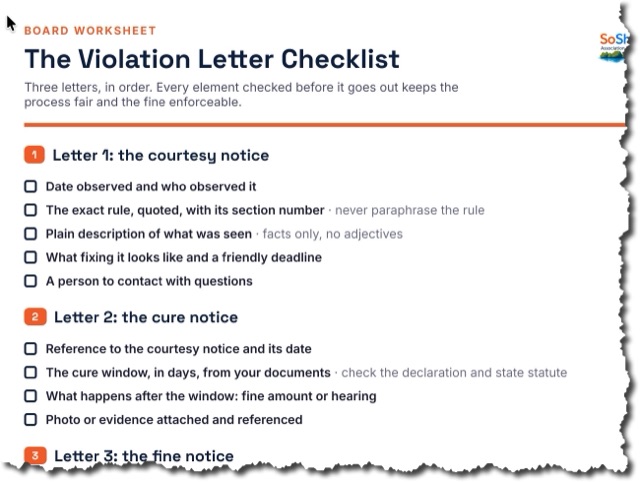
Board admins and property managers can now record formal violations (noise, parking, pets, unauthorized modifications, and more), cite the specific governing-document rule, and link the violating unit and resident. From the violation detail page, issue any of four notice types: Warning, Cure Notice (with a deadline), Fine Notice (with a dollar amount), or Hearing Notice. Each notice pre-populates a legally-shaped letter body that you can edit freely before saving. Every saved notice appears in a timeline and generates a print-ready letter: association letterhead (logo + address), recipient, rule citation, due date or fine amount callout, body text, and a signature block. The print page auto-fires the browser print dialog. Violations also integrate into the Concerns workflow — a new 'Convert to Violation' button on any concern detail page pre-fills the violation form. Fine amounts are captured for the record; fine payment tracking is wired in once the billing module ships.
Saved signatures — reuse your signature on future forms (private to you)
After signing any form, you can now tick 'Save this signature to my account for future forms' (with an optional label like 'My signature' or 'Initials'). Next time you file a form, a new ⭐ Saved tab appears on the signature pad with your saved signatures — pick one and you're done. Strictly private: only the owner can see and use their saved signatures. Even board admins can't see them. Manage (delete) them from the new 'My signatures' card on your profile. Each form submission still embeds its own copy of the signature image, so deleting a saved signature doesn't invalidate forms you've already signed.
Configurable permissions dashboard — board sets who sees what
Board admins can now configure exactly which role is required to access each feature. A new Permissions page (board-admin only) shows a matrix: rows are features, columns are roles. Pick the minimum role for each feature and save. Features you can configure include: viewing meeting minutes, viewing work orders (read-only), viewing violations (read-only), viewing the employee roster, viewing insurance records, the full resident directory, submitting concerns, and submitting ARC requests. Management-write actions (creating work orders, issuing violation notices, editing employees) are always restricted to board/management roles and are not configurable. Changes take effect immediately and are per-association — you're not changing settings for any other community. If you haven't customized a feature, it falls back to a sensible default. Custom overrides are labeled 'custom' in the matrix so you always know what you've changed.
Role renamed: 'Resident' is now 'Owner'
The resident role has been renamed to 'Owner' throughout the app and database. This better reflects what the role actually represents — a unit owner, not just any resident. Existing accounts are migrated automatically; nothing changes for current users except the label. The 'Renter' role remains separate (renters have narrower access than owners — they can't file ARC requests, join committees, or access settings). If you were filtering by 'Resident' anywhere, you'll now see 'Owner' in its place.
Work orders — post a resident announcement when status changes
When a board admin updates a work order status, an optional 'Post an announcement' section now appears in the status form. Tick the checkbox to expand it, pick the audience (All residents, Owners only, Renters only, or Board only), and write the announcement body. The title auto-fills based on the new status — 'Work completed: [title]' when marking done, 'In progress: [title]' when starting work — but you can change it to anything. Handy for closing the loop with residents: when the pool pump is finally fixed or the elevator comes back online, one status change both updates the work order and notifies residents without a second trip to the announcements page.
Electronic signatures on forms — E-SIGN / Florida UETA compliant
Every form that carries legal weight (guest registration, amenity reservation, estoppel request, hurricane prep) now requires an electronic signature before it can be submitted. Three sign methods are offered side-by-side: ✍️ type your name (rendered in a cursive font), draw with your finger or mouse on an HTML5 canvas, or upload a PNG/JPG of an existing signature. Required consent checkbox cites the federal E-SIGN Act and Florida's Uniform Electronic Transactions Act. Audit trail captured automatically on submit: IP address, timestamp, user agent, and a SHA-256 hash of the form payload — if anyone edits the form later, the hash mismatches and a tampering warning appears next to the signature. The signature renders both in the on-screen detail view and on the printable permit (drawn/uploaded images are embedded inline). Note: not legal advice — confirm with your counsel before relying on this for binding contracts.
Work orders — assign to employees, not just board members
The 'Assigned to' dropdown on work orders now includes all active employees (contractors, vendors, maintenance staff) alongside board and management roles. If an employee has a title on file (e.g., 'HVAC Technician', 'Pool Service'), that title shows in the dropdown. This means you no longer need to create a board-role account just to route a work order to your plumber or landscaper.
Insurance — attach policy documents directly to each record
The insurance record edit view now includes an attached documents section. Board admins can upload PDFs, Word docs, or images (up to 25 MB each) directly from the insurance page and they're stored with the policy record — no more uploading to the documents library and hunting for them later. Attached files are board-only and pull from the same storage quota. You can also delete individual attachments from the same view.
Employees — attach W-9s, contracts, and background checks to employee records
Board admins can now attach documents directly to an employee record — W-9s, signed contracts, background-check reports, certifications, anything relevant to that person. The upload section appears in the employee edit form (board admin only). Attached files are board-only access, stored in the same upload quota, and can be individually deleted from the same view.
Employee financial details gated to board admins only
Pay type, pay rate, and salary information on employee records is now visible and editable only by board admins and super admins. Board members and property managers can still view and update everything else on an employee record (name, title, contact, status, notes) but pay details are hidden. This separates the operational view from the financial one without splitting the page into two separate access tiers.
Forms library expanded — 8 new types + Bellair-card guest form
Guest registration now matches the official Bellair Registration Card (10/2025) — Name, full address, total in party + names of all others, Car license (make / color / plate / state), Owner / Family / Guest-of-Owner / Tenant / Guest-of-Tenant radio, house-rules-acknowledged checkbox (required), and Emergency contact (name + phone) fieldset. Eight new form types alongside: 🔧 Maintenance request (issue kind + urgency + access instructions), 🐕 Pet registration (species + breed + weight + vaccinations + emergency vet), 🚗 Resident vehicle registration (permanent, distinct from temp parking), 🔨 Contractor / work notice (dates + hours + access), 🎉 Amenity reservation (clubhouse / pool deck / BBQ pits with deposit acknowledgement), 🌪️ Hurricane prep checklist (storm name + staying vs evacuating + a 9-item checklist), ☎️ Emergency contact submission (who to call if you're unreachable), 📨 Estoppel / sale request (title companies for closings). All print as permits with the big confirmation code. On unit pages the form launchers are now inline text links instead of big cards.
Meeting minutes, maintenance-to-WO, and forgot-password rate limiting
Three things shipped together. (1) Board meeting minutes: a new Minutes page in the dashboard lets the board record official meeting minutes with a rich-text editor (Quill), attendee list, meeting type (Regular / Special / Annual / Executive Session), and date. All members can read; only board admins and property managers can create or edit. (2) Maintenance request → Work Order: when a member files a maintenance request form, board admins now see a 'Convert to Work Order' button on the submission detail that pre-fills the work order title, priority, description, location, and access instructions from the form payload. (3) IP rate limiting on the forgot-password page: the page now caps at 5 reset-link requests per IP address per hour and returns a clear error if exceeded. Previously there was no per-IP cap — an attacker could spam unlimited reset emails from a single connection.
Forms: guest registration, parking pass, move-in/out, key requests
New 📝 Forms page at /dashboard/forms.php. Residents pick a form type, fill it out, and get an instant printable permit with a unique confirmation code (e.g. AB72-9XKM) — no waiting for board approval. Five form types to start: 👋 Guest registration, 🅿️ Temp parking pass, 📦 Move-in notice, 📤 Move-out notice, 🔑 Key/fob request. Each form prints as a tilted-letterhead permit with the big confirmation code, valid-from/through dates, vehicle plate or guest name, and your unit. Board sees the full log + can revoke any permit (with optional reason). On the unit detail page, a Forms section shows recent submissions and quick-launch tiles for each form type. New form types are a one-line ENUM addition for the future.
Rules: filter by category
The Rules page search bar gained a Category dropdown alongside the existing Source filter. Categories come from your curated list plus any legacy categories still in use on existing rules (so old imports stay filterable). Live search now also honors source + category so typing 'noise' with Category=Pets returns only pet-related noise rules. The Print button passes the category filter through, and the printed cover meta line shows it ('159 rules · matching "pet" · category: Pets').
Renters: Settings and Committees hidden
Renters no longer see the Settings or Committees links in the sidebar, and the pages themselves redirect renters back to the dashboard if they hit the URLs directly. Settings exposes association admin info that's not useful to tenants; Committees are an owner/board space and renters already can't join. Owners and board members are unaffected.
Renters: no ARC submissions, no committee joins
Two owner-only privileges are now properly enforced. Renters can still view what their building is up to but can't file Architectural Review requests (an exterior change is the owner's call, not the tenant's) and can't self-join committees (membership is for unit owners). The 'New request' / 'Join' buttons hide for renters; the empty state shows a friendly note pointing them at the unit owner. Owners and board members are unaffected.
ARC → Work Order, nav tidy-up, cleaner member edit
Approved (or any) ARC request can be promoted to a Work Order with one click — same pattern as concerns. Use it when the HOA needs to inspect after completion or do related work on the common area. The WO is pre-filled with the ARC's title, body, and unit, and back-links via source_arc_id; the ARC detail page shows a 'Linked work orders' card listing every WO spawned from it. The WO header also shows a 🏗 'from ARC #N' badge for the reverse link. Sidebar: Events moved up under Announcements (used to sit below Documents/Rules). Directory: when editing a single member, the Board + Residents listing below the form is now hidden — replaced by a 'Back to directory' button so the page isn't scroll-heavy.
Concerns can now say who or what they're about + cite rules
The Submit-a-concern form has a new optional 'Who or what is this about?' section with three pickers: a type-ahead member search ('the loud party was at John in 412'), a unit dropdown ('happened in Unit 217'), and a rule citation chip widget ('violates rule 3.4 No barbecues on balconies, type to filter by number or keyword, click chips to remove'). On the concern's detail page the targets surface in a warning-yellow card visible only to the board and the submitter — the person named never sees they were named. Foundation for proper rule-violation tracking down the line.
Marketing site refreshed with the new feature set
The public home at soshiny.com now shows what's actually been built: 12 hero feature tiles (Rules, Documents, Announcements, ARC, Work Orders, Concerns, Events, Committees, Directory, Public Landing, Parking & Units, Global Search) plus a 'boring-but-essential' strip below (Insurance, Employees, Contacts, FAQ, Media, Locations, Storage, Activity log, Print everything). Hero copy and FAQ refreshed too — pricing bullets now honestly call out 1 GB free + $5/mo per extra GB instead of the old 'Unlimited storage' line.
Architectural review + global search + insurance tracker + settings bug fix
Three new tools and a critical bug fix:
🏗 Architectural Review at /dashboard/arc.php — owners submit requests to change anything exterior (paint, dish, deck, windows, landscaping) with category, dates, contractor info, estimated cost. Board reviews with a thread, approves / denies / approves-with-conditions, and the submitter gets an email when the decision lands.
🔎 Global search box in the top bar — one search hits rules, documents, announcements, events, concerns, ARC requests, and members. Click any result to open it directly. Honors access controls (board-only docs hide from non-managers, members see only their own concerns + ARC).
📋 Insurance + COIs at /dashboard/insurance.php — track the association's policies and contractor certificates of insurance. Status badges color-code by expiry: expired (red), 30 days (yellow), 90 days (blue), beyond (green). Optional link to the actual PDF on file.
🛡 BUG FIX: editing the Association profile (name / slug / address) used to also wipe the Landing content (vision, about, amenities, contact info, social links) because both forms posted to the same handler that overwrote every column. Each form now scopes its update to its own field set.
Employees: type-ahead member picker
Replaced the giant member dropdown on the employees form with a type-ahead search box. Start typing a name or a unit number and the matches filter live (up to 10 results). Arrow keys + Enter to pick, click to pick, Escape to dismiss. Form refuses to submit unless an actual member is selected (no more 'I typed the name but the dropdown didn't match'). Also flipped all 189 imported pending Bellair residents to active so they show up properly in counts and visibility checks.
Storage breakdown shows real names + a funny 404 page
The storage breakdown page now lists each file by its title (e.g. '2026 Bylaws.pdf' instead of the UUID filename) for documents and media, with the raw filename underneath. Clicking a document used to return 'Bad request' because the URL was missing the type parameter — fixed in both the storage page and the My documents card on profile (now correctly /dashboard/file.php?type=document&id=N). Also added a friendly 404 page — when a URL doesn't exist, you get a tiny HOA Violation Notice card with a randomized joke instead of Apache's default page.
Committees: collapsed descriptions + Make chair / Step down on existing members
Long committee descriptions now collapse to about three lines on the listing with a 'Show more ▾' / 'Show less ▴' toggle, so multiple committees fit on the screen at once. Short descriptions render in full with no button (auto-detected). Per-member rows in the manage table now have ⭐ Make chair (promotes them and demotes the current chair) and Step down (demotes the current chair to a regular member) buttons next to Remove, so admins can rearrange the roster without removing and re-adding people.
Storage breakdown — see where your space is going (Drive-style)
Click the 💾 Storage widget at the top of the dashboard to open a new breakdown page. Headline shows total used / quota with a Drive-style stacked bar split by category — Documents, Photos & inline images, Member headshots, Logo & branding, Other. Below that, each category gets its own card with the 50 largest files (name, size, upload date) and a Manage link to the page where you can delete them. Documents and branding files link directly to their viewer so you can preview before deciding. Makes cleaning up much easier than scrolling through the document or media list trying to find the big ones.
Storage quota tracking — 1 GB free + $5/mo per extra GB
Every association now gets 1 GB of file storage free. A 💾 Storage widget at the top of the dashboard (managers only) shows current usage as a colored progress bar that turns yellow at 75% and red at 95%. Documents, media, and inline-image uploads check the quota before saving and refuse with a friendly message when an upload would put you over — no silent disk fill. The widget includes a 'Need more? $5/mo per extra GB · Contact us' link that emails success@soshiny.com. Super admin can grant paid GB to any association via /admin/associations.php (edit form → Storage section) until self-serve checkout exists.
Employees — track owner-employees, contractors, and volunteers
New Employees page at /dashboard/employees.php for the board to track anyone the association pays or relies on. Independent of role and owner status — an owner can also be the maintenance person, a board member can be an unpaid volunteer, a contractor can be on retainer. Each record: job title, type (Employee / Contractor / Volunteer), pay type (Hourly / Salary / Flat / Unpaid), start/end dates, status, and notes. The directory's Owner / Renter column now shows a small 💼 'job title' chip next to the owner badge when the person also has an active employment record. The user's own profile page gets a 💼 Your employment card showing what the board has on file (read-only).
Click any announcement or event to open the detail view, print it individually
Every announcement and upcoming event on the dashboard (and on the Announcements / Events full listings) now leads with a colored Month / Day calendar tile and is clickable end-to-end. Clicking opens a detail page with the full title, audience, timestamps, body, and a 🖨 Print button. Single announcements print via /dashboard/announcement-print.php with the date tile + letterhead on top; single events print via /dashboard/events-print.php?id=N (recurring series also list their next 12 occurrences in both the screen view and the printout). The Upcoming events column on the dashboard gets its own 🖨 Print link in the header that prints the next 60 days of events.
Dashboard refresh + suggestion edit button + filter-aware rule print
Dashboard tiles are now a 4-across grid with a colored icon, label, and big tabular-numeral count on each card — twelve tiles in total. Pending rule suggestions moved off the Rules tile into its own dedicated 🚩 tile that gets an orange left-edge when anything is awaiting review. New Board & mgmt tile shows the headcount and jumps straight to the Board section of the directory. Concerns tile gets the same orange edge when something's open. Above the tiles the page now shows a live local clock and date that ticks every 30s — same JS also drives the morning/afternoon/evening greeting from your browser's clock so 3:30 PM EDT reads correctly. Sidebar also gets a 🌐 Public site link that opens // in a new tab. Rule suggestions queue gets a dedicated ✏️ Edit button alongside Approve/Reject so cleaning up wording no longer requires going through the Approve form. The Print button on Rules is now context-aware: if you've searched or filtered by source, it becomes 'Print results' and prints only what's on screen. Suggestions queue also gets its own Print button.
Compact 3-column parking print is now actually compact
The 3-column parking print used to render each spot as a 3-line card (kind on top, big number, then unit + owner). For 80+ spots that filled multiple pages. Reworked to a one-line-per-spot layout — number first in bold, then a small kind tag, then the unit + owner inline. Tighter page margins (0.35in) and smaller type let a full Bellair lot fit on one or two pages.
Denser Print-all-rules + dashboard greeting reads local time
Print-all-rules now renders in two columns with tighter margins (0.4in) and slightly smaller type, so a full ruleset fits in roughly half the pages it used to. Each rule still breaks cleanly without splitting mid-block. Separately, the dashboard greeting (Good morning / afternoon / evening) was wrong for anyone not on UTC — the server clock is pinned to UTC and PHP was always computing the time of day from that. A tiny JS now overwrites the greeting using the browser's local time, so 3:30 PM EDT correctly reads 'Good afternoon'.
Picking a board office auto-promotes the role
Before: setting a board office on a member whose role was Resident or Renter silently dropped the office (since offices only apply to board roles). The form gave no feedback, which is exactly how Polly and John ended up appearing not to save. Now: picking any board office on a resident or renter auto-promotes them to Board member (least-privilege board role), and the success flash spells out what happened. Property managers keep their existing role.
Board landing + directory now include pending members
Imported residents come in with status=pending until they sign in for the first time, but the 'Meet your board' landing section and the dashboard Board card were both filtering for status=active only — so a board member like Scott Bender (imported, marked as Director, set to show on the public landing) was being hidden. Fixed: both views now include everyone except status=inactive. Same fix applied to the Print contacts + board view.
Announcements: schedule + auto-expiry, deactivate moved to edit form
When you post an announcement you can now set a Start posting at time (defaults to now — schedule something for next Monday morning if you want) and pick how long it stays up: 1 day / 1 week / 2 weeks / 1 month / 3 months / pick a specific date / never expires. Members only see live announcements. The Announcements page header has a 'Show all' toggle so managers can review scheduled + expired posts; live posts also show a small 'expires Mar 14' hint, and the card visibly dims once expired. Directory's Deactivate button moved out of the listing rows and is now next to Save on the member edit form — fewer click targets per row and harder to misclick on the wrong row.
Work Orders + per-member documents + nav cleanup
New /dashboard/work-orders.php for admin-only operational tickets: open / in-progress / blocked / completed / closed, with priority, location, unit, assignee (board / PM), contractor (from your Contacts), cost estimate + actual, due date, and a full timeline that interleaves status changes with free-text notes. Concerns now have a 'Convert to Work Order' button that pre-fills a new WO from the concern's text and back-links them — you can see all WOs spawned from a concern right at the top of its detail page. Documents now accept an optional 'Attach to member' value alongside the existing 'Attach to unit' — a lease, an appointment letter, or any other paperwork tied to a specific person surfaces on their profile under My documents. Communications was renamed to Announcements and moved up near the top of the sidebar.
Board officer titles + contacts overhaul + rule-suggestion edits
Board members + property managers can now hold an officer title (President, Vice President, Secretary, Treasurer, Secretary-Treasurer, or Director). The title shows on the directory and "Meet your board" landing section in canonical order — President first. It's display-only; admin capabilities still flow from the role. Contacts page is now a single flat list (no more per-category sections) with two new print buttons: contacts-only, and contacts + board members & managers. Admins can also now edit a pending rule suggestion's wording before approving — a new Save edits (keep pending) button lets you clean up text without committing yes/no. Dashboard event count now correctly includes recurring occurrences (a weekly meeting seeded back in March still shows on the tile).
Dashboard refresh + printable event lists
Dashboard now opens onto a two-column layout — Recent announcements on the left, Upcoming events on the right — so the board can scan both at a glance. The stat tiles got a working Units link (to /dashboard/units.php), an accurate member count that includes pending residents, and three new tiles: Events (with upcoming count), Concerns (with open-count badge), and FAQs. The Events page also got Print buttons for Today / This week / This month — clean print-ready lists grouped by day, audience-scoped, with the association's letterhead and copyright footer.
Rules: flag for board review
Managers can now flag any rule for board review with an optional note ("conflicts with bylaw 5.2", "language needs updating", etc.). Flagged rules carry a red "Needs review" badge in the listing and a banner on the rule's detail page. One click to clear the flag once handled.
Compose documents inline + print any rule or document
Documents page now has a Compose button alongside Upload — write the document directly in a rich-text editor (headings, bold/italic, lists, blockquotes, inline images) instead of uploading a Word or PDF file. Every composed document and every rule now has a Print button that opens a clean print-friendly view and triggers the browser's print dialog, so save-as-PDF and paper copies work cleanly. Print-all-rules-in-number-order is also available from the Rules header.
Rules: number-first layout + category as a pill + open one rule at a time
Each rule in the listing now leads with its rule number in bold navy, followed by the source pill (bylaw / board rule / policy) and the category as its own warm-yellow pill. The default sort is by rule number (the way the board references them). Click Open on any row to view that one rule on its own page. Rule suggestion + rule category rename are now available to managers too (previously only members could suggest, and categories could only be added or deleted).
Units: annual HOA and garage assessment amounts
Each unit now tracks an annual HOA assessment and an annual garage assessment (separate, since not every unit has a garage). Visible on the unit detail page header and editable on the unit form. CSV import accepts two new optional columns (annual_hoa_assessment, annual_garage_assessment).
Copyright footer on every page
Every page now carries "© 2026 Savvy Brain LLC and Kevin B. Leigh. Powered by SoShiny." Marketing site keeps the existing fat footer; dashboard and admin layouts get a tight single-line stripe.
Personal headshots + about-me bios
Every signed-in user can now visit /dashboard/profile.php to upload a headshot (PNG, JPG, or WEBP, 4 MB max) and write a short bio. Headshots show up next to your name in the directory, on board-member cards on the community landing page, and at the bottom of the sidebar where you click to edit. Bios appear under your role badge on the public landing for board members who've opted into showing on it.
Contacts directory: emergency lines, utilities, and recommended contractors
New /dashboard/contacts.php (manager-only) lets the board list emergency and non-emergency phone numbers, utility providers, and suggested contractors by trade. Items marked public render on the community landing in an "Important numbers" section. Contractors carry an auto-disclaimer that the association doesn't guarantee their work. The Settings page's Main email and Main phone fields are now labeled clearly (they were always there, just buried as "public contact").
Vision statement on the public landing + FAQ CSV import
Settings has a new Vision Statement field that renders prominently above the About section on the public landing. FAQ now supports CSV bulk-import (question, answer, optional sort_order) and shows when each FAQ was last updated.
Units: CSV bulk import + garage / parking spot tracking
Register dozens of units at once from a spreadsheet — required column is unit_number, plus optional type, bedrooms, baths, square_footage, ownership_percent, garage_number, parking_spot, and notes. Re-importing the same unit_number updates instead of duplicating. Garage and parking-spot fields acknowledge that those numbers often differ from the unit number (your unit 421 might have garage 64). Locations also picked up an optional category field so garages, event spaces, and amenities don't all sit in one bucket.
Documents: edit metadata + expandable descriptions
Documents in the listing now have an Edit button (board/PM only) for changing title, description, category, access level, or unit assignment without re-uploading. Long descriptions clamp to two lines with a Show More toggle so the table stays scannable.
Concerns: complaints, compliments, and suggestions
Any signed-in member (resident or renter) can submit a concern — complaint, compliment, or suggestion — with an optional anonymity toggle. The board sees an inbox with status filters (open/new/in-progress/resolved/closed) and a counter banner for items awaiting attention. Each concern has a discussion thread with regular replies plus board-only internal notes. Resolved concerns can carry a resolution summary that's emailed to the submitter.
Mailing addresses for absentee owners + new "Beautification" announcement category
User profiles now have an optional mailing address that's used when an owner lives somewhere other than the unit they own (typical when they're renting their property). Communications gained a Beautification category alongside General, Event, Maintenance, Emergency. Long rule bodies on the Rules page now collapse to four lines with a Show More toggle. The dashboard's Quick Actions side panel was removed — every action it surfaced is one click away in the sidebar.
Co-owners, tenants, and per-unit documents
Each registered unit now tracks every person living in it — primary owner, co-owners, and tenants — independent of the single-string unit_number on a user record. Managers can add/edit/remove occupants from a unit detail page (/dashboard/unit.php) and upload documents scoped to that specific unit (rental agreements, deeds, insurance certificates). The new "Unit only" access level on documents means a rental agreement is visible only to the people listed on that unit plus the board.
At-a-glance dashboard tiles: rules, photos, and total members
The dashboard home now shows seven counts you can click into instead of five — Members (every active user), Units, Rules, Documents, Photos (image media), Posts, and Committees. The grid auto-fits so it stays tidy on narrow screens.
Each association's logo and name now anchor the dashboard
Sign in to your dashboard and the top of every page now shows your association's branding (logo + name + city) instead of the generic SoShiny mark. The collapse toggle for the side navigation moved up there too, so it stays visible and clickable whether the sidebar is expanded or collapsed.
Renters see only board contacts in the directory
Privacy update: renter accounts now see only the Board section of the Directory page — no full resident roster, no other unit owners' contact details. Owners and managers see everything as before.
Rules page now lists all rules, not just search hits
Visiting /dashboard/search.php with no search term used to show "No rules on file yet" even when hundreds of rules were imported. Now the page defaults to a most-recent listing (200 rows), and search narrows it down. Imports were always landing in the database correctly — just invisible until you typed a query.
Building locations: curate the spaces in your property
Managers can now add named locations (Clubhouse, Pool deck, Roof terrace, …) at /dashboard/locations.php, with optional descriptions and an active/inactive flag. The Events form auto-suggests from this list while still accepting free-text. The locations table is also the foundation for the maintenance work-order flow we're building next.
Members can suggest rules; board approves with a final adoption date
Any signed-in member (resident or renter) can submit a rule suggestion via a new form on the Rules page. The board sees a banner alert and a counter badge when suggestions are pending. Approving opens an editable inline form with all the suggestion's fields plus an adoption date — submit and it becomes a real rule with that date as the effective date. The suggester is emailed on either decision (approve or reject, with optional note).
Recurring events: weekly board meetings, monthly socials, etc.
Events now have a Repeats option (daily, weekly, biweekly, monthly, or none) plus an optional repeats-until date. Series are stored as a single row; occurrences are computed at display time and shown both on the dashboard listing and on the public community landing — no need to re-create a meeting every Tuesday.
Property managers now have full management rights, plus a "View as" lens for the board
Property managers can now add, edit, and delete content across the dashboard alongside board members and board admins (residents and renters remain view-only). Board users also get a new View-as toggle in the sidebar — preview the dashboard exactly as a homeowner or renter sees it (manage controls hidden, board-only documents suppressed) and one click to return to your normal view.
Per-association activity log for the board
New /dashboard/activity.php page (board members, board admins, and property managers only) shows every audit event scoped to your association — who added a rule, deleted a document, posted an announcement, etc. Filter by action, actor, or date. When a SoShiny admin signs in as a user to help with support, the activity log makes that visible with a small "via SoShiny support" tag on the actor.
Document categories you can manage
Document uploads now use a curated category dropdown (Bylaws, Minutes, Insurance, Forms, Renters, General by default). Board users can rename categories — and the rename propagates to every existing document tagged with the old label — or add and delete categories from a Manage page accessible right from the upload form.
Send invitations and password resets from the admin panel
On /admin/users.php, leave the password field blank when creating a user and they'll get an emailed invitation with a link to set their own password (status starts as pending; first password set promotes them to active). Each existing user row now also has a Reset button that emails them a one-hour reset link. Welcome and invitation emails read "from your association" instead of generically from SoShiny.
SoShiny is live in production
https://soshiny.com is now serving the real SoShiny stack — marketing site, signup, login, board dashboards, super-admin panel, public community landings, the works. Real SMTP is wired (success@soshiny.com via smtp.hostinger.com:465), so password reset, signup notifications, and the contact form all send actual email instead of writing to a log file.
Events calendar — board meetings, socials, work parties
New /dashboard/events.php page (board admins create/edit/delete; signed-in members see read-only). Each event has title, start + optional end, location, description, and audience (Public / Members / Board). Public events render in an Upcoming events section on the community landing, with a calendar-tile date format. Past/upcoming + audience filters in the dashboard listing.
Embedded map on community landing
When a board admin saves a real address on /dashboard/settings.php, we geocode it via Photon and store latitude/longitude. The /{slug}/ landing then renders an OpenStreetMap iframe centered on the property — no API key, no fees. The address-only "View on map →" link still works as a fallback.
Social links in the landing footer
Five new fields on /dashboard/settings.php: Website, Facebook, Instagram, X/Twitter, Nextdoor. Each one renders as an inline-SVG icon in the landing footer when set. Empty fields render nothing. URLs auto-prefix with https:// if the board pasted just a domain.
Per-board-member opt-in for the public landing
Board members are no longer auto-listed on /{slug}/ — they have to explicitly opt in via /dashboard/directory.php (Edit member → "Show in Meet your board"). Default is off. Migration 011 added show_on_public_landing to users; existing rows default to 0 so nobody is exposed without consent.
Meet your board, public documents, and View-on-map link
Three more sections on the public landing: (1) Meet your board — auto-listed from active board roles, shown as first-name-plus-last-initial cards with role badges; (2) Documents & forms — anything in /dashboard/documents.php with access_level=public, served via the new /public-document.php gatekeeper; (3) View on map — link in the hero address that opens the property location in Google Maps.
FAQ + contact form on the public landing
Added FAQ section and a real contact form to /{slug}/. Boards manage FAQs at /dashboard/faq.php (Q + A, sort order, edit/delete). Contact form is CSRF-protected, has a hidden honeypot field for spam, validates name + email + min 10-char message, and emails the association's contact_email (or admin_email fallback) via the existing send_mail() pipeline. Submission audit-logged.
Public landing page is now a real community website
Added five content sections to /{slug}/: hero banner image, formatted About paragraph (Quill), Amenities list (one per line, two-column grid), public photo gallery (auto-pulled from media with visibility=public), and Contact info card (email + phone). All editable on /dashboard/settings.php (board admin only). Sections render only when content exists, so nothing looks empty if a board hasn't filled it in yet.
Landing page silently failing on public-announcement query
The announcements query on /landing.php joined the users table (for author names) but selected `id` unqualified. Both tables have an `id` column, so MySQL threw an ambiguity error and the page died — visitors saw a 302 to /login.php instead of the community page. Qualified the column names. Public announcements feed now renders correctly.
Board admins can customize their community URL slug
/dashboard/settings.php has a new Slug field that controls /{slug}/ — the public-landing URL. Format-validated (a-z, 0-9, hyphens), uniqueness-checked across all associations, and audit-logged when changed. Comes with a clear warning that changing breaks any existing bookmarks.
Public announcements feed on the community landing
Announcements posted with audience=all now render on the public /{slug}/ landing page — eight most recent, with type badge, date, author, and a 360-char excerpt. Board-only or owners-only announcements stay private.
Per-association public landing page at /{slug}/
Each association now gets a public, branded community page at https://soshiny.com/{slug}/ — name, address, logo, primary-color accent, and a sign-in CTA. Opt-in via Settings → Show public landing page (default off). Logo upload is also now in the Settings form (PNG/JPG/SVG/WEBP, max 1MB). Real paths like /dashboard/, /admin/, /login.php, /assets/ all take precedence so the rewrite never collides.
Real address autocomplete (Photon/OSM)
Type a partial street address on /signup.php, /admin/associations.php (edit), or /dashboard/settings.php and see a dropdown of real places. Click one to auto-fill street, city, state/province, ZIP, and country. Powered by Photon (komoot.io) — free, no API key, OpenStreetMap data. ZIP-only lookup is still wired as a fallback.
Per-unit details (bedrooms, baths, sqft, ownership %, type)
New units table keyed by (association_id, unit_number). Edit-member form on /dashboard/directory.php now has a Unit details section that upserts the unit row when you save. Properties belong to the unit so two members in the same unit share them.
Dashboard 'Units' tile now counts actual registered units
Was reading the static unit_count capacity from association settings. Now counts distinct unit numbers across active + pending members — matches what you actually see in /dashboard/directory.php.
Removed change-password card from association settings
Settings page is association-level (name, address, branding) — password changes are person-level. Users who want to change their password use /forgot.php; super admins or board admins can change any user's password via /admin/users.php or the add-member flow.
Board admins can actually add members now
Two issues — labeled the action "+ Add member" instead of "+ Invite", and fixed a real bug where new users were created with status=pending which silently rejected them at login. They now start as status=active and can sign in immediately with the password you set or the auto-generated one we email them.
Removed demo-credentials hint from /login.php
The login page used to show local-dev demo logins. Removed for cleaner production-grade UX.
Super admins can reset any user's password
User edit form on /admin/users.php now has a Change Password section. Set a new bcrypt-hashed password directly, or click Generate Random for a 14-char password from a non-ambiguous charset (no I/l/O/0). Saving invalidates any outstanding password-reset tokens for that user. Audit-logged separately as user.password_changed_admin.
ZIP / postal-code auto-fill
Type a US ZIP or Canadian postal code on /signup.php, /admin/associations.php (edit), or /dashboard/settings.php and the city + state/province auto-populate. Powered by Zippopotam.us — free, no API key. Manual entry still works for international addresses or if the API is unreachable.
Super admins can edit any user
/admin/users.php now has an Edit button on every row — full edit form for name, email, phone, role, association, unit, status, owner flag. Email-uniqueness check; self-lockout guard prevents super admins from demoting or deactivating their own account.
Public changelog launched
This page. Every meaningful change to SoShiny is logged here, categorized, and dated.
Geocoding now runs on first save when lat/lon is missing
Previously the geocode-on-save check only fired when an address field changed, so associations with an existing address but no stored coordinates never got geocoded — and their map section stayed hidden. The check now also triggers when latitude or longitude is empty, so simply hitting Save once will populate coordinates and reveal the map.
Hero headline + lede rewrite
New headline: 'Transparent, Simplified and Built for Your Community.' New lede pays off the three words — every feature on every plan, in one portal your board can run and your community will actually use.
Signup detail view for super admins
Each pending signup row has a 'View' button that opens a clean detail card with full address, contact info (with mailto: + tel: links), submitted timestamp, and inline approve/reject buttons.
Structured address fields with US/Canadian state datalist
Replaced the freeform address input on /admin/associations.php, /dashboard/settings.php, and /signup.php with separate Street / City / State-Province / ZIP-Postal / Country fields. Type-ahead datalist lists every US state and Canadian province; free text still allowed for international.
Edit any association from the super-admin panel
/admin/associations.php now has an Edit button on every row — lets super admins update name, slug, address, plan, status, and primary color. Slug uniqueness enforced; audit-logged on save.
Refined logos + bigger nav lockup
Brand logos shipped to /assets/images/. Public top nav uses the color version (now 56px tall in an 88px nav bar for readability). Sidebars use the white version with the SoShiny Symbol for the collapsed-icon state.
Hero CTA contrast over video
Inverted the hero overlay so the darkest pixels sit where copy lives (was backwards). Orange CTA now has a subtle white inner ring + drop shadow so its silhouette holds against any video frame. Ghost button bumped to a stronger frosted-glass treatment.
Nav button text now stays white on orange
The site-nav anchor color rule was overriding button text color. Scoped it to :not(.btn) so primary buttons keep their white-on-orange treatment regardless of context.
Full-bleed video hero
Replaced the YouTube iframe with a self-hosted MP4 background video and overlaid the hero copy on top. Centered single-column layout, navy radial overlay for text legibility, dark-mode-friendly button styling, reduced-motion fallback.
Rules CSV import + downloadable template
Board admins can bulk-import rules via CSV at /dashboard/search.php?action=import. Required columns: title, body. Optional: rule_number, category, source, effective_date. Unknown categories auto-create. Template available at ?download=template.
WYSIWYG editor + image upload on rules
/dashboard/search.php?action=new now has a Quill 2.0.2 editor for rule bodies. Toolbar includes formatting, lists, links, and an image button that uploads directly into the rule via /dashboard/upload-image.php (board admin only, MIME whitelist, 8MB cap, served via the existing file gatekeeper).
Rule categories with management UI + effective dates
Categories are now first-class — create / list / delete via /dashboard/search.php?action=categories. The new and edit-rule forms use a category dropdown (with an 'Add new' link). Each rule also has an effective_date input.
Left-sidebar layout for dashboard + admin
Replaced the horizontal top-nav on /dashboard/ and /admin/ with a fixed left sidebar (collapsible to icons-only, mobile slide-over). Persistent collapse state, active-link highlighting, brand logo + user info + sign out all in one place.
Activity log viewer for super admins
/admin/activity.php — paginated audit log (50/page) with filters for association, action, actor, and since-date. Pulls every audit event across every tenant. Linked from the audit-events stat tile on /admin/.
Committees with chairs and members
New /dashboard/committees.php — board admins can create committees (e.g. Rules, Beautification, Architectural Review), add or remove members, designate a chair (auto-demotes prior chair), and delete the whole committee. Committee count is a clickable stat tile on the dashboard.
Member directory: edit + CSV bulk import
Board admins can now edit any member (name, unit, role, email, phone, owner status, status) and bulk-import a roster via CSV. Sort is a proper alphanumeric natural sort — 101, 101A, 102, B2 in the right order. Owners-only filter.
Dashboard stat tiles are clickable
Every stat card on /admin/ and /dashboard/ is now an anchor that navigates to the relevant management page. Hover gives a subtle lift, an arrow slides in, and the value goes orange.
Pricing model finalized
$20 flat for up to 10 units, $0.50/unit for 11-100, $0.75/unit for 101+. 30-day free trial included. Every plan includes every feature — no tier-gating on SSO, API access, or audit log export. Calculator updated, all four pricing cards show identical features.
Inter typography throughout
Switched from Syne to Inter as the single typeface for the whole site. Hierarchy comes from weight + size + tight negative tracking on display-sized headings.
Pricing calculator field can be cleared during typing
Clearing the unit-count input no longer snaps the value back to 50. Empty state is allowed mid-typing; on blur the field falls back to 50 only if it's still empty or invalid.
Password reset flow + change-password card
Added /forgot.php and /reset.php with SHA-256 hashed tokens, 1-hour TTL, single-use, anti-enumeration messaging. Plus a 'Change your password' card on /dashboard/settings.php for already-logged-in users. Outstanding password reset tokens are invalidated when the user changes their password.
Fixed
May 9, 2026
Pinned every PDO connection to UTC
Discovered during password reset testing — MAMP MySQL ran in EDT while PHP defaulted to UTC, causing 1-hour reset tokens to look already-expired. db.php now sets time_zone='+00:00' on every connection so PHP's time() and MySQL's NOW() agree.
Phase 1 launched
Multi-tenant SaaS for condo and HOA associations. Public marketing site, board dashboard, super-admin panel, full design system, 11-table schema with audit log, file uploads with secure gatekeeper, CSRF + login throttling, role-based access. Initial 6 dashboard pages: home, documents, rules, directory, communications, media, settings.